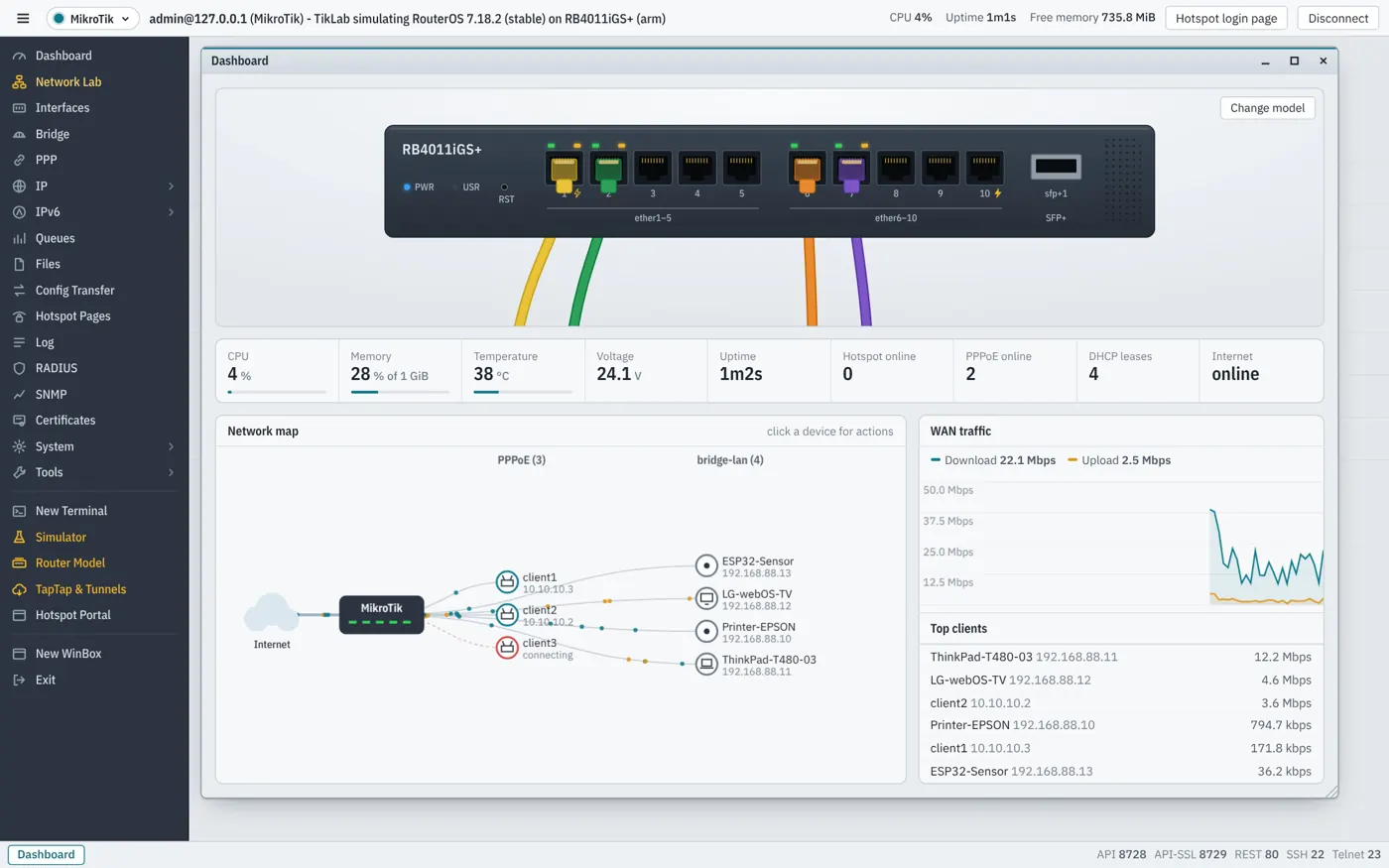
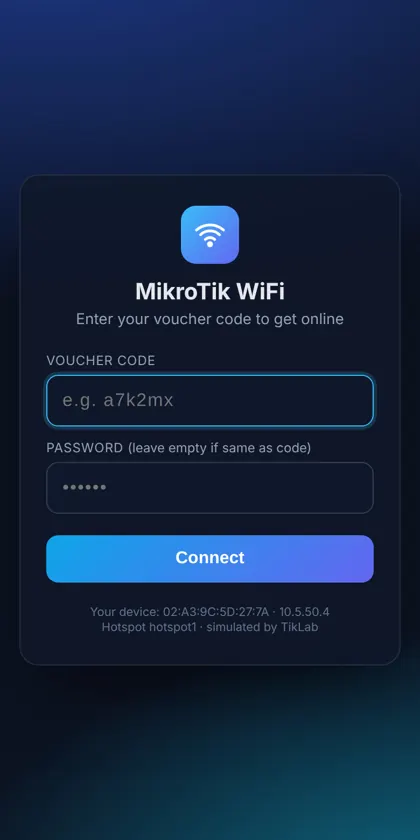
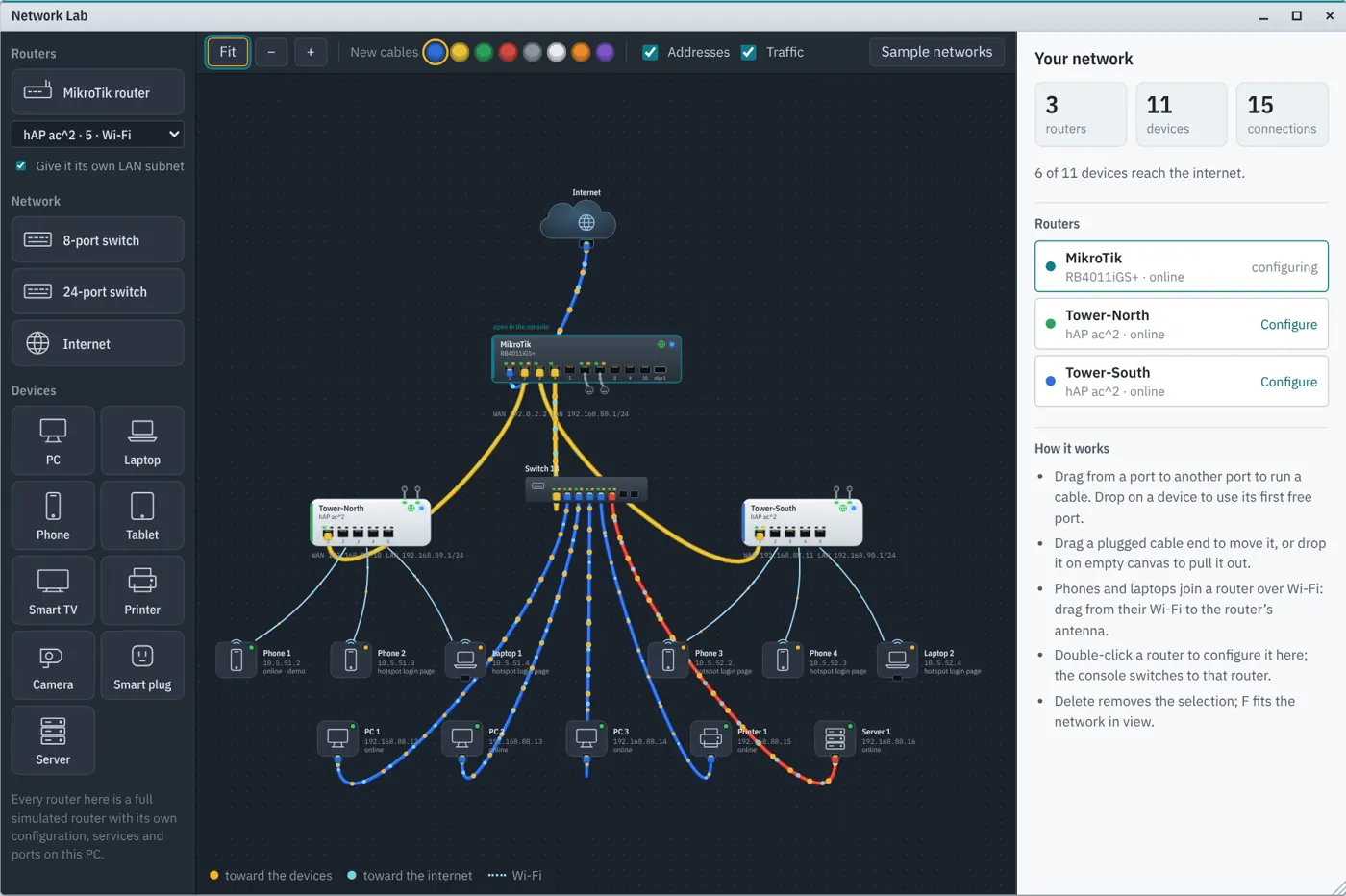
TikLab simulates a MikroTik router running RouterOS 7. Apps and people talk to it like a real router: WinBox-style console, API, REST, SSH, hotspot login page. One program, no installation — Windows, Linux and Raspberry Pi.
TikLab 1.4.0 - RouterOS-compatible router simulator- fresh configuration created (RB4011iGS+)- data directory: ./tiklab-dataWinBox-style GUI http://127.0.0.1:8291/RouterOS API 192.168.1.20:8728Hotspot portal http://192.168.1.20/loginLogin: admin (empty) · Configuration is saved automatically.
Up in a minute
Unzip, start, log in.
Everything TikLab saves goes into a tiklab-data folder next to the program — copy both to move it to another PC.
Unzip TikLab-1.4.0-windows-x64.zip anywhere — the desktop or a USB stick.
Double-click Start TikLab.bat (or tiklab.exe).
If Windows SmartScreen warns about an unknown app, choose More info → Run anyway. When the firewall asks, allow Private networks so phones and TapTap can reach it.
The console opens in your browser at http://127.0.0.1:8291/. Log in as admin with an empty password — like a brand-new MikroTik.
Keep the black window open while you use TikLab: closing it stops the router. Nothing is lost — the configuration saves itself.
Unpack it:tar xzf TikLab-1.4.0-linux-x64.tar.gz
Start it:./start-tiklab.sh
Open the console address it prints if no browser opens by itself. Log in as admin, empty password.
Without root, ports 80, 443, 22, 23 and 21 move to 8080, 8443, 2222, 2323 and 2121. To keep the real ports, run once: sudo setcap 'cap_net_bind_service=+ep' ./tiklab
On a Raspberry Pi 4 or 5 (64-bit OS), unpack the ARM package:tar xzf TikLab-1.4.0-linux-arm64.tar.gz
Start it:./start-tiklab.sh
From any PC or phone on the same network, open http://pi-address:8291/ and log in as admin.
A Pi makes a perfect always-on training router for your shop or school.
Practice before you buy
Connect TikLab to TapTap like a real router.
Make vouchers, try your portal design, watch sessions and syncs — all on the simulator. When you are ready, the same steps work on your real MikroTik.
1
Add a router in TapTap
Choose TapTap Link and copy the install block TapTap shows. (On your own network you can also use the API: the PC's address, port 8728, user admin.)
2
Paste it in TikLab
Open TapTap & Tunnels in the TikLab console, paste the block and press Run. Pasting it into the terminal works too.
3
Watch it turn green
The simulated router checks in over HTTPS every few seconds. Vouchers, sessions, backups and syncs run on it as on a router.
Short links you can share — they always give the newest version:
https://www.taptapnetwork.com/tiklab/get/latest/windows/ · …/linux-x64/ · …/linux-arm64/ · …/manual/
The ports it opens
8291Console (browser)
8728RouterOS API
8729API over TLS
80REST + hotspot login
443REST over HTTPS
22SSH
23Telnet
21FTP (files, pages)
Questions
Good to know
Is TikLab made by MikroTik?
No. TikLab is an independent simulator that re-implements RouterOS behaviour and protocols. It does not contain RouterOS. MikroTik, RouterOS and WinBox are trademarks of MikroTik.
Does it cost anything?
No. TikLab is free to download and use for training and testing — no account needed.
Is there a Mac version?
Not yet. Use a Windows or Linux PC, a Raspberry Pi, or Windows / Linux in a virtual machine on your Mac.
Can real phones log in to the simulated hotspot?
Yes. With a Wi-Fi model, TikLab can broadcast the router's Wi-Fi from your PC: phones join, the login page opens and they log in with a voucher.
Will it break my network?
No. It is a program on your PC. It does not touch your real router unless you choose to send a configuration to it.
Something does not start?
Chapter 13 of the manual lists common problems and their fixes — ports already in use, firewall prompts, Linux ports without root.